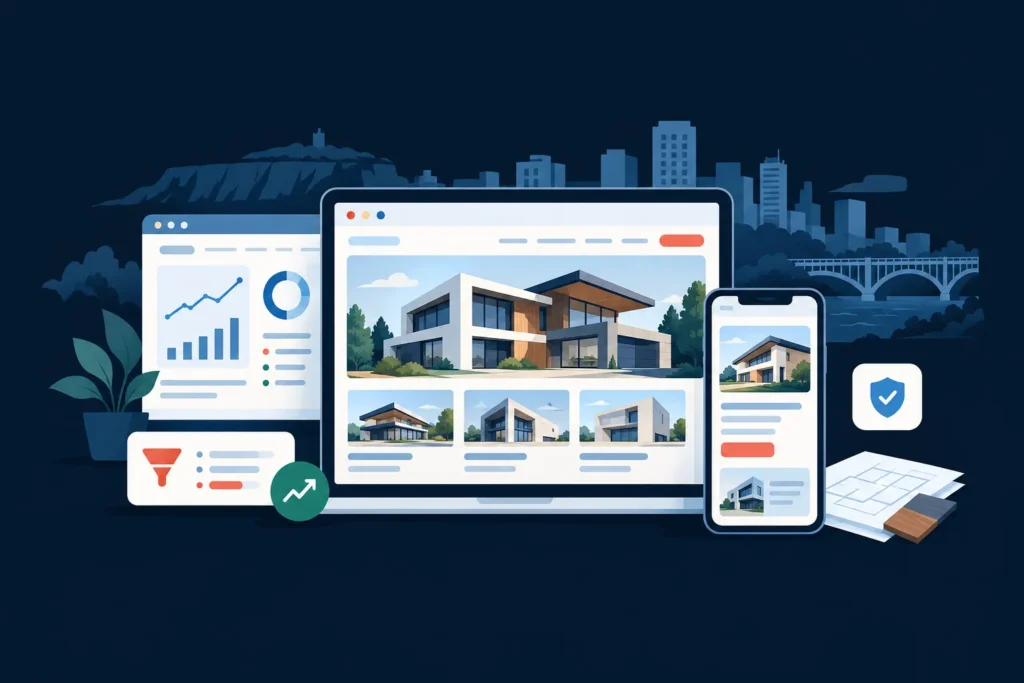
For a Hamilton restaurant, a website needs to do much more than display a menu. It should help a hungry customer decide where to eat, answer practical questions quickly, build confidence with photos and reviews, and make the next step obvious: reserve a table, order online, call, or get directions.
Effective restaurant web design Hamilton businesses can use combines mobile-first design, clear local information, strong photography, booking or ordering tools, and a search-friendly structure. The goal is not simply to create a polished website. The goal is to turn local discovery into measurable actions for a restaurant serving customers in Hamilton, Ancaster, Dundas, Stoney Creek, the Hamilton Mountain, Waterdown, or nearby communities.
This guide explains the pages, content, conversion paths, and local SEO foundations a Hamilton restaurant website should include.
How Hamilton customers discover a restaurant website
Restaurant discovery often begins with a practical search or a map result. Someone may search for a restaurant near a particular area, compare a few options after seeing a Google Business Profile, or visit a website after finding a recommendation on social media. A customer may also scan a menu QR code, search for dinner before an event, or look for parking, hours, dietary options, or a reservation link.
Each discovery path creates a slightly different need. A customer searching for a quick lunch wants the menu, hours, location, and ordering options immediately. A customer planning a birthday dinner wants atmosphere, seating information, private dining details, and a simple reservation process. A family may need to know whether children’s options, accessible entrances, high chairs, or takeout are available.
Your website should support these decisions without making visitors hunt through several pages. A useful test is this: can a first-time visitor understand what the restaurant offers, where it is, when it is open, and how to take the next step within a few seconds on a phone?
WebDesignGTA.com builds websites for local businesses with this decision-making process in mind. You can review the Hamilton web design service to see how a restaurant project can fit into a broader local business website strategy.
What a high-converting restaurant homepage should include
The homepage should help visitors answer three questions quickly: what kind of restaurant is this, where is it located, and what should I do next? A strong homepage structure reduces uncertainty and gives different types of customers a clear route.
A practical restaurant homepage wireframe
- Header: Display the logo, navigation, phone number, and a prominent reservation, order, or contact button.
- Hero section: Use an appetizing, authentic image with a specific statement about the restaurant and one primary call to action.
- Quick decision bar: Show hours, location, service type, and direct links to the menu, reservations, ordering, or directions.
- What makes the restaurant different: Explain the cuisine, ingredients, dining experience, atmosphere, or local connection in clear language.
- Featured menu items: Show a small selection of popular or representative dishes, with a link to the complete menu.
- Experience and photography: Include the dining room, food, bar, patio, private room, or other details that help customers picture the visit.
- Reviews and trust signals: Add genuine review excerpts, press mentions, awards, or customer feedback where permission and accuracy allow.
- Occasions and groups: Explain options for takeout, catering, parties, date nights, business meals, or private events when relevant.
- Location and final CTA: Display the address, map, parking information, hours, phone number, and a final reservation or ordering button.
This structure is flexible. A fast-casual restaurant may place online ordering above private events, while a destination dining room may prioritize reservations and atmosphere. The important principle is to match the homepage to the action that matters most to the business.
Essential pages for a Hamilton restaurant website
A restaurant website does not need dozens of pages, but it does need the right pages. Each page should have a distinct purpose and a clear next step.
- Home: Introduces the restaurant and directs visitors to the most important actions.
- Menu: Presents current food and beverage options in readable HTML or an accessible format, with prices and dietary information where appropriate.
- Reservations: Explains how to book, including the reservation platform, phone option, group policies, and cancellation information.
- Order online: Sends customers to the correct first-party or trusted ordering system without unnecessary clicks.
- About: Tells the restaurant’s story, describes its approach, and introduces the people or traditions behind the business.
- Private events or catering: Provides capacity, menus, minimums, service areas, inquiry details, and useful planning information.
- Contact and location: Includes address, phone number, hours, parking, transit or access notes, and a map.
- Accessibility and policies: Communicates relevant information such as accessibility, dietary requests, age restrictions, patio rules, or reservation policies.
For a single-location restaurant, these pages may be enough. A restaurant group or business with multiple locations should give each location its own page with accurate hours, address, menu links, booking options, and location-specific information.
Build a short booking and enquiry flow
A booking path should be as short as possible. If the website sends a visitor through several unclear steps, the customer may abandon the process and choose another restaurant.
Recommended reservation flow
- The visitor selects Reserve a table from the header, homepage, or menu page.
- The reservation page states the booking method, location, hours, party-size rules, and any important policies.
- The visitor chooses a date, time, and party size through the reservation tool or calls the restaurant.
- The confirmation page or message explains what happens next and provides contact details for changes.
For enquiries about catering or private dining, use a short form that asks only for information needed to respond properly: name, contact details, event date, approximate guest count, event type, and message. A restaurant should not force a visitor to create an account simply to ask whether a date is available.
Every primary conversion path should also have a backup. If the reservation platform is unavailable, the page should still show a phone number. If online ordering is closed, explain the hours and provide the correct alternative rather than displaying a broken button.
Use photos, reviews, and social proof carefully
Restaurants sell an experience as well as food. Professional photography can communicate portion size, presentation, atmosphere, seating, lighting, and hospitality more effectively than a paragraph of promotional copy.
Use a balanced image set rather than showing only close-ups of dishes. Include the dining room, exterior, bar, patio, staff, signature dishes, and details that matter to a customer deciding whether the restaurant suits an occasion. Images should be compressed and sized appropriately so they do not slow down the mobile experience.
Reviews can answer questions that the restaurant cannot answer about itself. Select genuine comments that demonstrate food quality, service, atmosphere, group suitability, or consistency. Do not edit reviews in a way that changes their meaning, and do not publish invented testimonials or unsupported claims.
A related local food-business example is the Rolly & Bubbly Icecream website project. It demonstrates a transferable principle for food businesses: visual presentation and a clear customer journey should work together, rather than treating design as decoration separate from the decision to visit or buy.
Google Business Profile and local SEO for restaurants
A restaurant website and Google Business Profile should reinforce the same core information. Keep the business name, address, phone number, hours, menu link, reservation link, and ordering link accurate and consistent across the website and profile.
Local SEO is not a promise of rankings. It is the process of making the restaurant’s location, services, relevance, and contact information clear to search engines and customers.
Hamilton restaurant local SEO checklist
- Use a descriptive page title and heading that identify the restaurant and its relevant service or location naturally.
- Write a unique location and contact page rather than relying only on an embedded map.
- Display the full address, phone number, opening hours, and service options in crawlable page content.
- Link to the menu, reservations, ordering system, and directions from prominent locations.
- Use descriptive image file names and accurate alternative text, without stuffing keywords.
- Keep the Google Business Profile categories, hours, menu, attributes, and photos current.
- Earn genuine reviews through good service and an appropriate request process. Never offer misleading incentives or manufacture reviews.
- Use structured data only when it accurately represents visible business information and follows Google’s guidelines.
- Create useful content for real customer questions, such as group dining, catering, parking, dietary options, or private events.
For a broader explanation of how local search and website structure work together, see web design and SEO in Hamilton. Restaurants that rely heavily on discovery searches should also consider a dedicated Hamilton SEO service plan based on their location, competition, content, and goals.
Mobile UX and page speed matter during the decision
Many restaurant visits begin on a phone, often when the customer is ready to act. Mobile visitors should not need to pinch and zoom to read the menu, search for a phone number, or find the reservation button.
Use large tap targets, readable type, a sticky or easily visible action button, and menus that open cleanly on smaller screens. Avoid placing important information inside an image or an unreadable PDF. If a PDF is necessary, provide a mobile-friendly page summary as well.
Performance improvements usually begin with properly sized images, modern image formats, limited third-party scripts, reliable hosting, and a simple page structure. Test the website on real phones and slower connections, not only on a large desktop monitor. A beautiful website that takes too long to load can lose the customer before the food and atmosphere are ever seen.
What to track after launch
Analytics should reflect restaurant goals rather than vanity metrics. Track actions that show whether the website is helping customers move closer to a visit or enquiry.
- Reservation button clicks and completed bookings where the platform supports measurement.
- Online ordering clicks and completed orders when data can be connected accurately.
- Phone number clicks, contact form submissions, and catering enquiries.
- Menu views, location-page views, direction requests, and event-page engagement.
- Organic search queries and landing pages through Google Search Console.
- Mobile versus desktop engagement and technical performance indicators.
Review the data regularly, but interpret it with context. A rise in menu views may reflect seasonal demand rather than a design change. A low booking completion rate may indicate an issue with the third-party reservation tool rather than the homepage. Use measurement to identify friction, then test practical improvements such as clearer buttons, shorter forms, better photography, or more visible policies.
Example sitemap for a Hamilton restaurant
A focused local restaurant website could use this page map:
- Home
- Menu
- Reservations
- Order Online
- About
- Private Events and Catering
- Contact and Location
- Accessibility and Policies
The primary call to action should be consistent across the site, but it does not have to be identical for every restaurant. For a dine-in business, use Reserve a Table. For a takeout-focused operation, use Order Online. For a new restaurant still building its reservation process, use Call to Enquire or Plan Your Visit.
If you are comparing project scope, the guide to web design cost in Hamilton explains the factors that influence pricing, including page count, content, photography, integrations, SEO, and ongoing support. A smaller website can be effective when it prioritizes the right customer actions, while a larger build may be justified for multiple locations, events, catering, or complex ordering requirements.
Frequently asked questions
How much does restaurant web design cost in Hamilton?
The cost depends on the number of pages, design requirements, photography and content needs, reservation or ordering integrations, local SEO, accessibility, and ongoing support. A simple restaurant website generally costs less than a multi-location website with custom booking, catering, event, and location systems. Request a tailored scope rather than choosing a package based only on page count.
What pages should a restaurant website have?
Most restaurants need a homepage, menu, reservations or ordering page, about page, contact and location page, and any relevant private events, catering, accessibility, or policy pages. Each page should answer a customer question and provide a clear next step.
How can a Hamilton restaurant website generate more leads?
Make the primary action obvious, show accurate menus and hours, provide an easy reservation or enquiry flow, use genuine photography and reviews, optimize the site for mobile, and connect the website with an accurate Google Business Profile. Track calls, bookings, ordering clicks, forms, and direction requests so you can identify and improve weak points.
Does a restaurant business in Hamilton need local SEO?
Local SEO is valuable for restaurants because customers commonly search by location, cuisine, occasion, or immediate need. A restaurant does not need to publish large amounts of generic content, but it should maintain accurate local information, a useful website, a complete Google Business Profile, relevant pages, and a process for earning genuine reviews.
Plan a restaurant website that works beyond the menu
The strongest restaurant websites make the customer’s next decision easy. They show what the experience is like, provide practical information, reduce booking friction, and make the restaurant discoverable in local search. For a Hamilton restaurant, the right structure should reflect the way customers actually choose where to eat, whether they are planning a special occasion in Ancaster, ordering near the Mountain, meeting friends in downtown Hamilton, or looking for a convenient local option in Stoney Creek or Waterdown.
Own a restaurant business in Hamilton? Get a tailored website and local SEO plan from WebDesignGTA.com.
Fact-check and reference sources
- Google Business Profile help, for managing business information and profile details.
- Google Search Central LocalBusiness structured data guidance, for accurately representing local business information.
- Google Search Essentials, for foundational search guidance and spam policies.
- W3C Web Content Accessibility Guidelines quick reference, for accessibility considerations in website design.