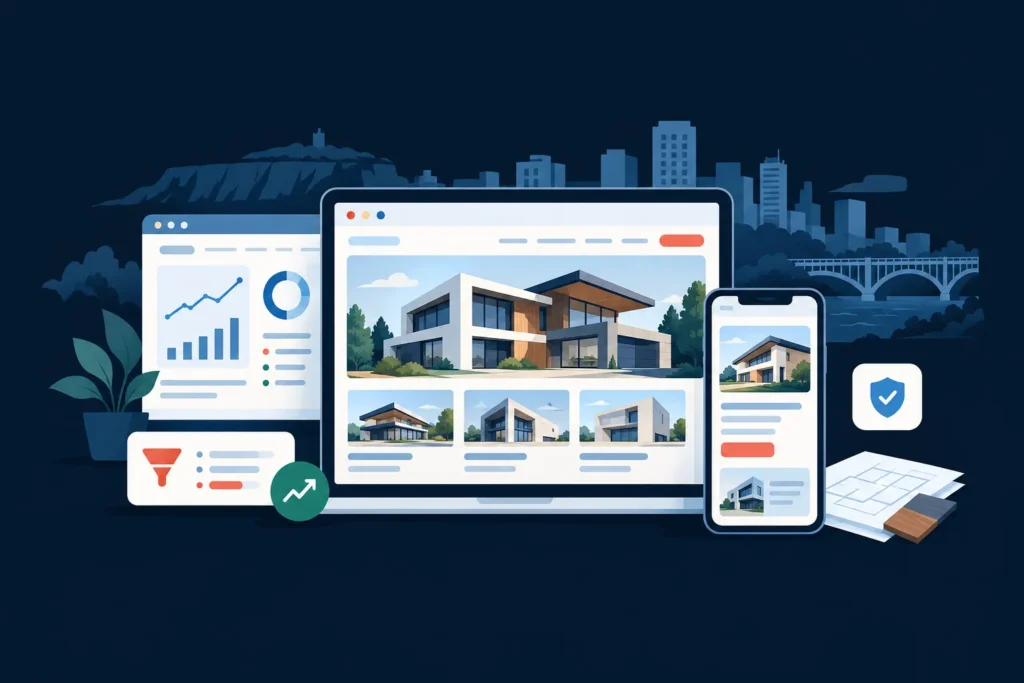
For a salon serving Hamilton, a website should do more than display services and attractive photographs. It should help a potential client decide whether the salon is right for them, answer practical questions, and make booking or calling effortless. Effective salon web design in Hamilton connects local search visibility with a clear mobile booking journey.
The strongest salon websites typically combine four things: location-specific service pages, trustworthy photography and reviews, a fast mobile experience, and calls to action that remain visible throughout the site. This guide explains how to structure that experience for a salon serving Hamilton, Ancaster, Dundas, Stoney Creek, the Hamilton Mountain, Waterdown, or nearby communities.
How Hamilton customers discover a salon
Salon customers often begin with a service and a location rather than a business name. They may search for a hair colourist near Hamilton, a nail salon in Stoney Creek, a bridal stylist in Ancaster, or a salon that offers a specific treatment near the Hamilton Mountain. Others discover a salon through Google Maps, Instagram, referrals, or a branded search after seeing the business elsewhere.
Your website needs to support each of these discovery paths. A visitor arriving from a Google Business Profile may want hours, parking information, pricing guidance, and a booking link. Someone coming from Instagram may already be interested in the salon’s style but still needs proof, policies, and a simple way to reserve an appointment.
That is why a salon website should not be treated as an online brochure. It is a sales and service tool that must connect local intent with the next action.
WebDesignGTA.com builds websites for local businesses with this conversion path in mind. You can review the Hamilton web design service to see how a tailored website can support local enquiries without trying to make one generic template fit every business.
The best homepage structure for salon web design in Hamilton
The homepage should communicate the salon’s offer, location, atmosphere, and booking path within seconds. It does not need to show every service in detail. Its job is to orient visitors and guide them to the most important next step.
A practical salon homepage wireframe
- Header: Show the salon name, a prominent “Book Now” button, and a simple menu. On mobile, make booking and calling easy to access.
- Hero section: State what the salon does, where it serves, and why a visitor should consider it. For example, “Colour, cuts, and styling for clients in Hamilton and Ancaster.” Add a primary booking button and a secondary call button.
- Trust strip: Place a concise review summary, years in business if relevant, or a clear service promise below the hero. Do not use claims that cannot be verified.
- Signature services: Feature the services that matter most to the salon’s revenue and positioning, such as colour, extensions, bridal styling, skincare, nails, or barbering.
- Why choose this salon: Explain the experience, specialties, consultation process, accessibility, parking, or neighbourhood convenience in specific language.
- Work gallery: Show real, high-quality work with descriptive captions where useful. Organize images by service when the portfolio is large.
- Reviews and proof: Include selected reviews with permission and a link to the salon’s Google profile where appropriate.
- Booking explanation: Tell visitors what happens after they request or select an appointment. Include cancellation, consultation, and deposit information before the final booking step.
- Location section: Display the address, service area, hours, parking details, and a map link. Mention nearby areas only when the salon genuinely serves them.
- Final call to action: Repeat the booking, phone, or consultation option at the bottom of the page.
The key trade-off is between visual atmosphere and useful information. Premium imagery can help communicate a salon’s brand, but oversized images, autoplay video, or busy animation can hide the booking action and slow the page. A strong design gives the brand room to breathe while keeping the customer journey obvious.
Essential salon pages and the booking or enquiry flow
A salon website does not need dozens of pages. It needs the right pages, organized around the questions people ask before booking.
Recommended salon sitemap
- Home: Positioning, signature services, proof, location, and booking CTA.
- Services: A clear overview of treatments, starting prices where appropriate, duration, and booking requirements.
- Individual service pages: Useful for high-value or specialized services such as colour correction, extensions, bridal hair, facials, or advanced treatments.
- About: The team’s experience, approach, certifications where relevant, and the salon experience.
- Gallery: Real work organized by service, with optimized images.
- Reviews: Selected testimonials or an integrated review approach that follows applicable permissions and platform rules.
- FAQ: Answers about consultations, deposits, cancellations, accessibility, parking, first visits, and aftercare.
- Contact and location: Address, hours, phone number, email, map, parking, and enquiry form.
- Book: The booking platform or a focused enquiry form for services that require consultation.
The booking flow should match the complexity of the service. A straightforward haircut may work well with direct online scheduling. Colour correction, extensions, bridal services, and some skin treatments may require a consultation form before an appointment is confirmed.
A simple booking and enquiry flow
- The visitor chooses a service or selects “Not sure what I need.”
- The website explains the approximate duration, preparation, price range, and whether consultation is required.
- The visitor chooses online booking, phone contact, or a consultation request.
- The form asks only for information needed to respond, such as name, contact details, preferred dates, service, and a short description.
- The confirmation message explains what happens next and sets an expected response time without promising an outcome the salon cannot guarantee.
For more guidance on the core pages a Hamilton business website needs, see this practical overview of small business web design in Hamilton.
Photos, reviews, and social proof that help people book
Salon clients are buying an experience and a result they can often see. Photography is therefore one of the most important conversion assets on the website. Use recent, well-lit images that show the actual salon, team, work, and range of results. A mix of close-up work, finished styles, consultation moments, and interior images can answer more questions than a gallery of similar poses.
Before publishing client images, obtain the appropriate permission. Avoid editing photos in a way that creates unrealistic expectations. Captions can add useful context, such as the service provided, hair type, or maintenance considerations, when the client has agreed to that information being shared.
Reviews work best when they are specific. A review that mentions consultation quality, punctuality, a particular service, or the salon environment gives a prospective client more decision-making information than a vague five-star statement. Do not invent testimonials or present reviews without permission.
A related local service-business example is the Bark & Brush Pet Spa website project. Although it is not a salon, the transferable lesson is the importance of presenting a service clearly, building trust visually, and making the next step easy for a local customer.
Google Business Profile and local SEO for a Hamilton salon
A salon business in Hamilton generally benefits from local SEO because many prospective clients are looking for a nearby provider and comparing several options. Local SEO is not a substitute for a good service or a clear website. It helps the right people understand what the business offers and where it operates.
Start with the salon’s Google Business Profile guidance. Keep the business name, address, phone number, hours, services, booking URL, and business category accurate and consistent. Add current photographs and respond professionally to reviews. Avoid creating multiple profiles for the same location or adding location terms to the business name unless they are part of the real-world name.
Hamilton salon local SEO checklist
- Use the real business name, address, and phone number consistently.
- Choose the most accurate primary business category and relevant secondary categories.
- Link the profile to the most useful page, such as the booking page or location page.
- Write service pages for the salon’s genuine specialties instead of creating thin pages for every nearby neighbourhood.
- Explain the location naturally, including parking, access, and nearby service areas where relevant.
- Use descriptive page titles and headings that identify the service and Hamilton-area context.
- Add image alt text that describes the image accurately, without stuffing keywords.
- Make the website and booking process accessible from a mobile device.
- Earn reviews through a consistent customer experience and request feedback without trying to manipulate the wording.
- Check that important information is visible in text, not only embedded inside images or social media feeds.
For a broader strategy covering the relationship between a website and local search, read web design and SEO in Hamilton. A salon may also benefit from dedicated Hamilton SEO services when it needs technical improvements, content planning, or ongoing local search support.
Mobile UX and page speed affect booking confidence
Many salon visitors will first encounter the website on a phone while comparing options, checking directions, or trying to book between other tasks. The mobile version should therefore be designed as the primary customer journey, not treated as a smaller desktop layout.
Use large, readable text, comfortable tap targets, short forms, and a persistent route to booking or calling. Make phone numbers clickable. Avoid requiring visitors to pinch and zoom, download a PDF to see prices, or navigate through several screens before finding the address.
Images should be compressed and sized for the space in which they appear. Remove unnecessary plugins, scripts, pop-ups, and animation. Google’s Core Web Vitals guidance provides a useful framework for understanding loading, responsiveness, and visual stability. You can also test a page with PageSpeed Insights, while remembering that a score is a diagnostic signal rather than the entire measure of a good website.
Test the booking process on several phones. Confirm that service names are understandable, required fields work, confirmation messages appear, and the customer can return to the website without losing their progress.
What to track after launching the website
Website performance should be measured against business actions, not just visits. A salon can use analytics and booking-platform data to understand which channels and pages contribute to enquiries or appointments.
- Clicks on the booking button.
- Completed booking requests or appointments, where the booking platform supports tracking.
- Phone and email link clicks.
- Contact-form starts and completed submissions.
- Visits to key service pages.
- Directions or location-page interactions.
- Traffic sources, such as Google Search, Google Business Profile, referrals, and social media.
- Mobile and desktop engagement differences.
- Frequently asked questions that still cause visitors to leave or contact the salon.
Do not judge the site by traffic alone. A smaller number of relevant visitors who book or enquire can be more valuable than a larger number of visitors who never reach a service or booking page. Review the data regularly and improve the pages where customers hesitate.
If you are comparing project scope and investment, the Hamilton web design cost guide explains why pricing varies based on strategy, copywriting, photography, booking integrations, SEO, and ongoing support. The right question is not simply “How cheap can the website be?” but “Which improvements will make the customer journey clearer and easier to manage?”
How much does salon web design cost in Hamilton?
Salon web design costs in Hamilton vary according to the number of pages, content requirements, photography, booking integration, SEO work, custom design, and ongoing maintenance. A small brochure-style website usually requires less planning than a site with individual service pages, consultation forms, advanced booking connections, and a larger gallery.
Ask for a written scope that identifies the pages, content responsibilities, platform, integrations, technical SEO, launch support, and post-launch changes. Comparing only the initial price can hide important differences in what is included.
What pages should a salon website have?
At minimum, most salons need a homepage, services page, booking or enquiry page, about page, contact and location page, and a privacy policy. A gallery, reviews section, FAQ page, and individual service pages are valuable when they answer real customer questions or support important services.
The sitemap should reflect how the salon operates. A salon that relies on consultations needs a strong consultation flow. A salon with several stylists may need team profiles and individual booking paths. A salon focused on one specialty may need deeper service content instead of many short pages.
How can a Hamilton salon website generate more leads?
A Hamilton salon website can generate more leads by making its services easy to understand, showing credible proof, answering practical questions, and placing clear booking and contact options throughout the site. The mobile experience should be fast and simple, while local SEO helps people discover the business when they are searching for relevant services nearby.
Every important page should give the visitor a logical next step. That may be “Book an appointment,” “Request a colour consultation,” “Call the salon,” or “View availability.” Matching the CTA to the service is more useful than using the same generic button everywhere.
Does a salon business in Hamilton need local SEO?
Local SEO is valuable for a salon that wants to be discovered by nearby customers through Google Search and Maps. It helps clarify the salon’s services, location, and business information. Local SEO cannot replace strong reviews, good service, accurate availability, or a website that is easy to use, but it can support discovery and make the website more useful to local prospects.
Build a website around the way your salon books clients
The best salon website is not necessarily the one with the most animation, pages, or elaborate effects. It is the one that makes the salon’s value clear, builds confidence with real evidence, and removes friction between discovery and appointment.
Whether your salon serves downtown Hamilton, Ancaster, Dundas, Stoney Creek, Waterdown, or another nearby area, the website should reflect your actual services and operating model. Own a salon business in Hamilton? Get a tailored website and local SEO plan from WebDesignGTA.com.
Recommended publication details
- Recommended SEO title: Salon Web Design in Hamilton: Get More Bookings
- Suggested URL slug: salon-web-design-hamilton
- Meta description: Learn how Hamilton salons can use better web design, local SEO, mobile UX, and booking flows to generate more qualified appointments.
- Primary keyword: salon web design hamilton
- Secondary keywords: salon web design; salons website design Hamilton; Hamilton salons web designer; local SEO Hamilton; Hamilton small business website; website design Hamilton Ontario
- Recommended schema: Article and BreadcrumbList. FAQ markup may be considered because the FAQ questions are visibly answered on this page.
- Suggested featured-image filename: salon-web-design-hamilton-local-bookings.webp
- Suggested featured-image alt text: Responsive salon website design on desktop and mobile with Hamilton-inspired city details